PC gaming on your TV
Stream games, desktop applications, and your PC desktop over your local network using the GameStream-compatible protocol.

Stream games, applications, and your desktop from your PC to a Samsung Smart TV. This independent Moonlight build adds optional Dolby Digital audio passthrough while keeping the familiar Opus streaming path compatible.
A community-maintained Tizen client focused on smooth streaming, useful feedback, and optional surround sound.
Stream games, desktop applications, and your PC desktop over your local network using the GameStream-compatible protocol.
AC-3 and E-AC-3 audio for compatible hosts, Tizen TVs, and receivers—useful for optical or HDMI sound systems.
Use supported video formats and streaming configurations while relying on the TV's decoder and the host's encoder capabilities.
Inspect audio codec, channel layout and approximate bitrate alongside video statistics, connection quality, and latency graphs.
Launch supported games and apps directly from TV shortcuts without always opening the full Moonlight interface first.
Interface translations include English, Spanish, German, French, Italian, Russian, and Brazilian Portuguese.
Apps2Samsung is the recommended installation route. Once Developer Mode is enabled, the app catalog can download and install the build for you.
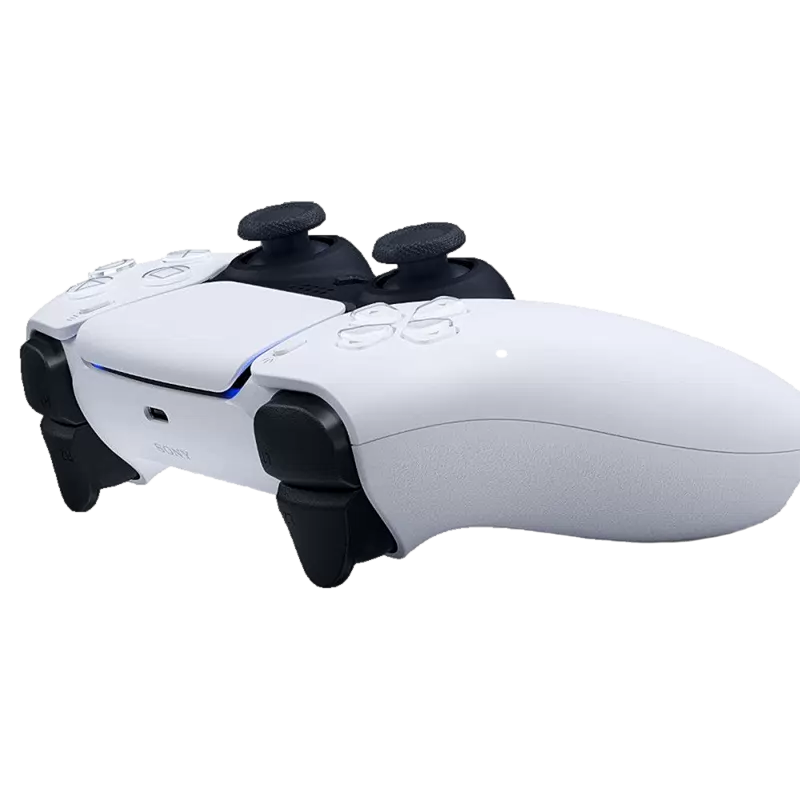
On the TV, open Home → Apps (and App Settings, if shown), then enter 12345. On a Smart Remote, use its 123 button to open the on-screen keypad. Enable Developer Mode, enter your computer's local IPv4 address as Host PC IP, then restart the TV.
Open Apps2Samsung on your computer, select your TV, then find Moonlight in the application catalog and choose fidoboy · Enhanced · Dolby. For TVs that need the Game Mode workaround, choose fidoboy · Enhanced · Dolby · ForceGM. Apps2Samsung downloads and prepares the package; no manual WGT download is needed for this method.
Launch Moonlight on the TV and pair it with your PC running Sunshine or another compatible GameStream host. Add the host by its local IP address if it is not discovered automatically.
Select your host to see its available apps, then launch any of them to start streaming.
ImportantDolby passthrough is available with Vibeshine 2.0.3 or later Installer . Alternatively, it is available in the experimental Sunshine branch maintained for this project, which is awaiting upstream review. Prebuilt Windows builds: x64 ZIP ARM64 ZIP .
For most users, install the app Moonlight and the fidoboy · Enhanced · Dolby variant entry from the Apps2Samsung catalog. Use the direct WGT downloads as a fallback or when you need a particular build.
Standard release. Install with Apps2Samsung's catalog or use Custom WGT / TPK if catalog installation fails.
Download standard WGTIncludes additional Game Mode metadata. It cannot enable Game Mode on TVs or firmware that do not support the feature.
Download ForceGM WGTPackages are hosted by GitHub Releases. No installer, paid hosting, or separate account is required to download them.
Designed for Smart TVs running Tizen OS 5.5 or newer. It has been tested on Samsung TVs; other Tizen-based television brands may differ.
Requires a GameStream-compatible host such as Sunshine, Apollo, Punktfunk, Vibeshine, or the legacy NVIDIA GameStream where available.
Requires a host that negotiates AC-3 or E-AC-3, plus a compatible TV and audio receiver. Unsupported combinations continue with Opus where available.